 V4
V4A little help. A lot less to keep track of.
A better
way to Vine.
Meet V4.
V4 is your desktop helper for the busy parts of Vine. It keeps track so you don’t have to.
For Apple Silicon Mac · Windows x64 testing is experimental

Hi, I’m V4.
Let’s make Vine easier.
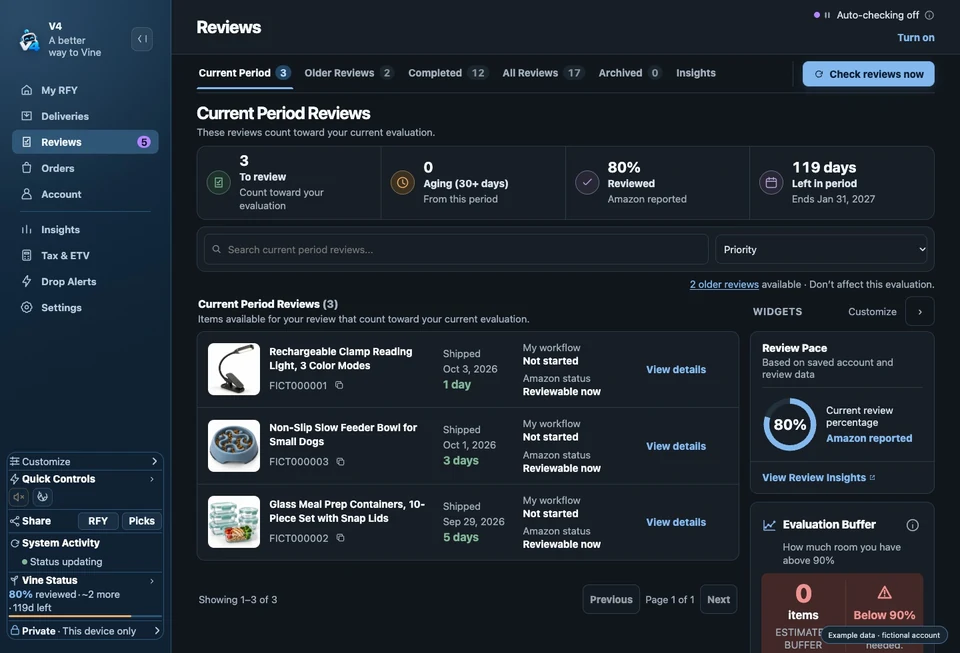
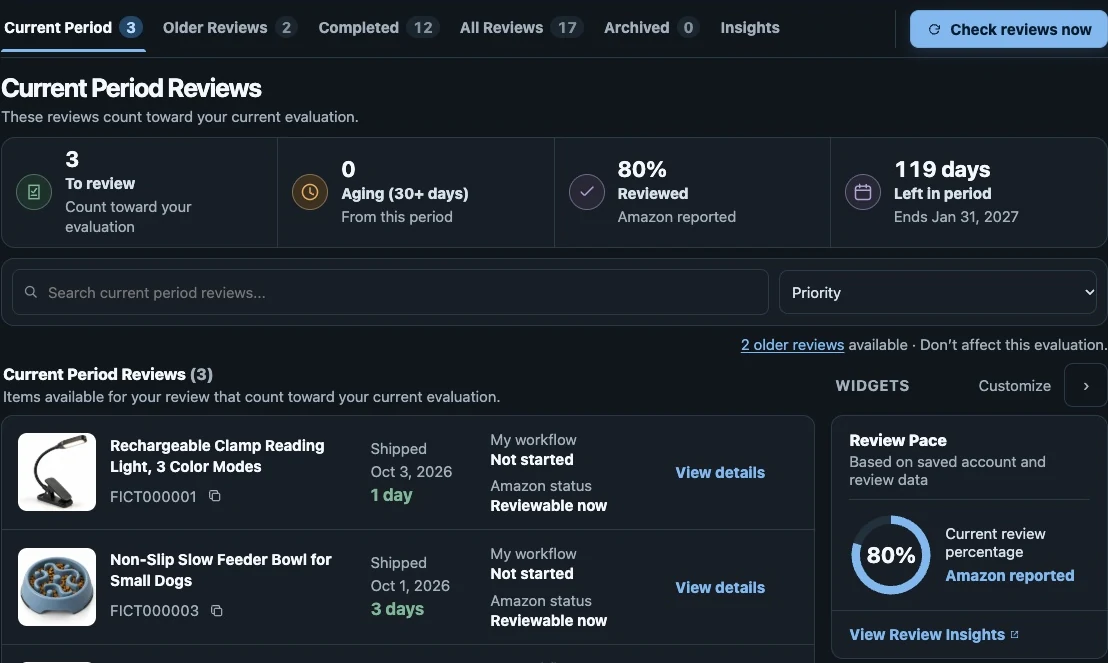
Reviews
Know what
actually matters.
See which reviews affect your current evaluation, with older unfinished reviews kept out of the way.
Deliveries
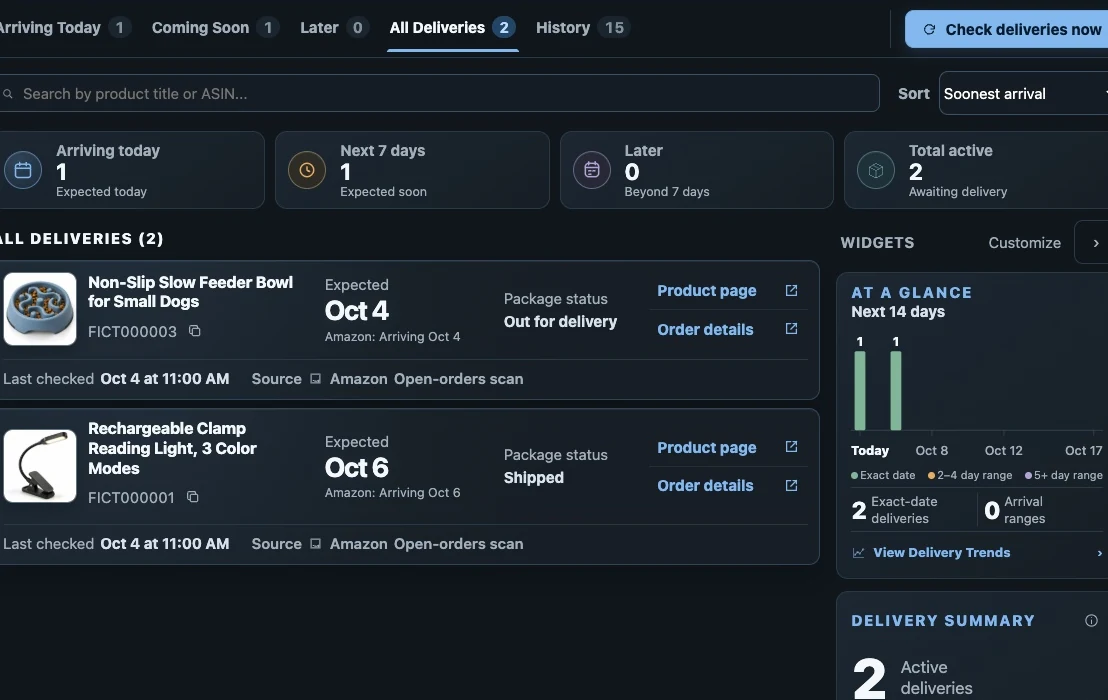
Everything you’re waiting for.
In one place.
See what’s ordered, what’s shipped, what’s arriving next, and what’s already at your door.
Drop Alerts
V4 keeps watch
when you can’t.
You don’t have to sit around refreshing Vine. V4 watches for unusual activity and lets you know when things start happening.
Compare today with previous days.
A heads-up when activity is detected.
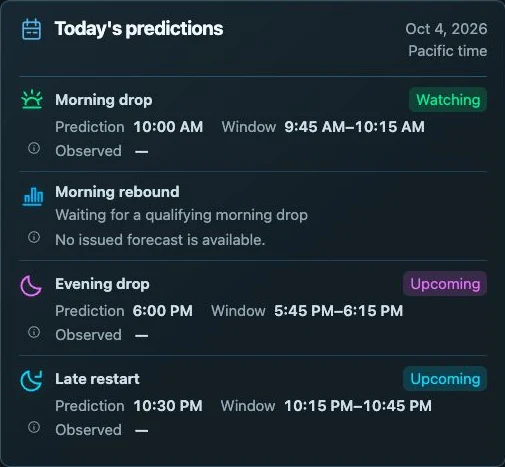
Expected times to watch, not a detected drop.
See when V4 expects activity

I’ll let you know
when things get interesting.
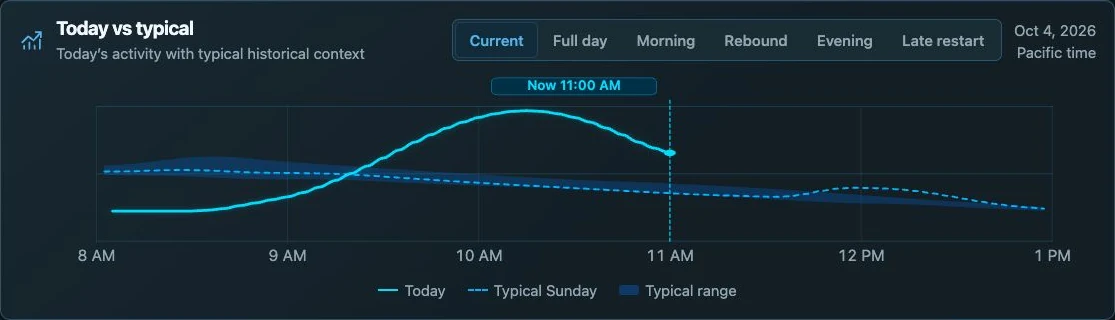
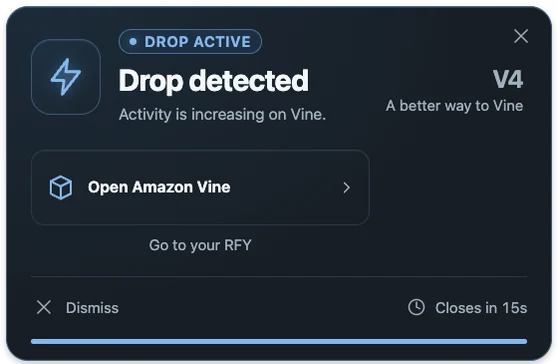
From activity to a helpful heads-up
Something’s happening.
When things pick up, V4 gives you a heads-up. Open Vine straight from the alert.
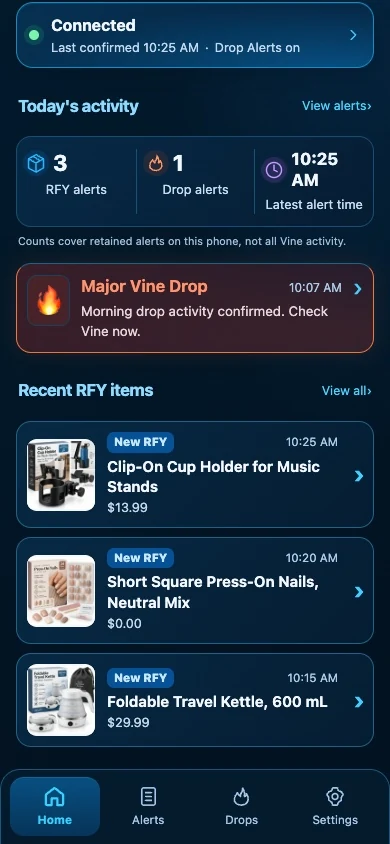
Alerts on your phone
Leave your computer.
V4 can still
let you know.
V4 Alerts brings important alerts to your phone, so you don’t have to stay glued to your computer.
You’ll still use V4 on your computer to keep track of everything.
Phone alerts use V4’s notification service and need notification permission. For RFY updates, V4 must be running on your computer and checking for new items.
A little heads-up.
Wherever you are.
Tax & ETV
No surprises
at tax time.
See where your ETV is going throughout the year and compare it with Amazon’s itemized report.
Amazon’s Itemized Report is the source of truth. V4 helps you keep track. It doesn’t replace Amazon’s tax records.
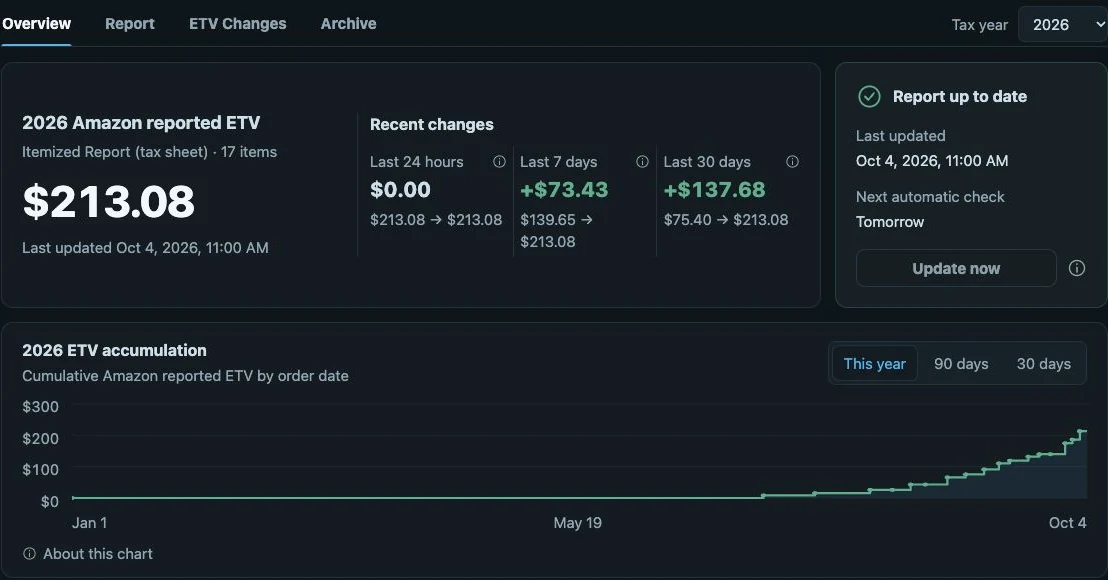
History & insights
Everything Vine forgets,
V4 remembers.
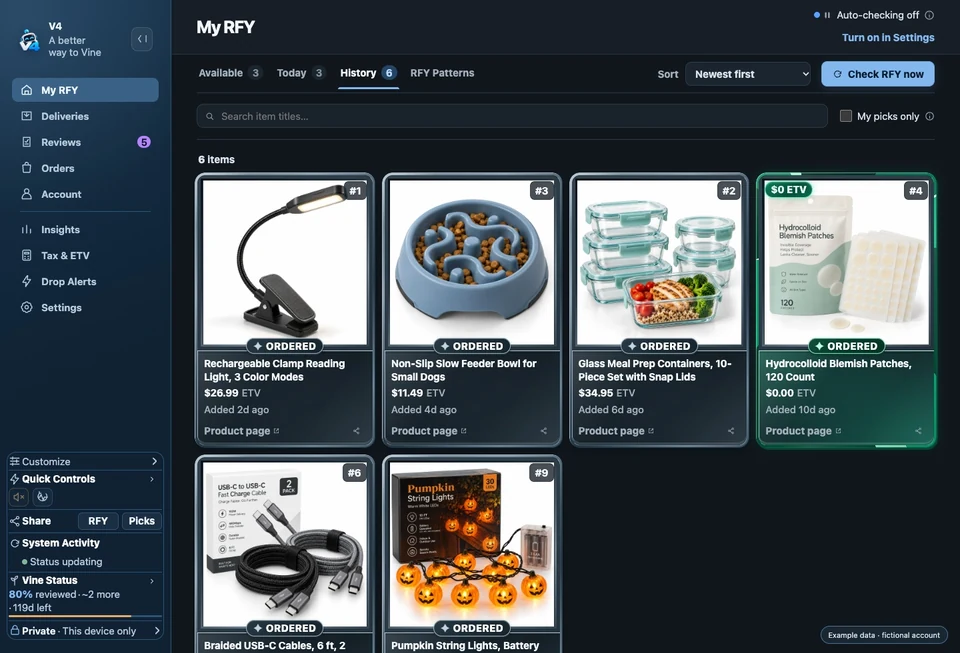
RFY items disappear. Old stats reset. Vine moves on. V4 keeps the history you’ve saved so you can actually look back at it.
Your history. Your choices.
Your Vine history
belongs to you.
Keep your history close and choose what you share.
Saved on your computer.
V4 saves your Vine history on your computer. You decide when to back it up and where to keep it.
Your reporting choices.
Basic usage reporting starts on. You can turn it off in Settings. Problem reports have a separate choice.
Phone alerts, by choice.
When you connect your phone, V4’s notification service delivers the alerts you choose.
What information can leave my computer?
Basic usage reporting starts on unless you’ve already turned it off. It sends a random ID for your installation, your V4 version and build, your operating system, and a daily check-in time. Your Vine records aren’t included. You can turn it off in Settings.
Expanded diagnostics waits for you to read and confirm its explanation before sending. These problem reports use a separate random reporting ID, so they aren’t anonymous. You can turn them off in Settings. Reports you send yourself also ask before sending.
Phone alerts send alert details through V4’s service and your phone’s notification service. Your phone saves recent alerts, and V4’s service keeps a 30-day alert history so your devices can catch up. Product names and identifiers can be included, depending on your notification privacy choice.
Connecting to Amazon, checking for updates, and optional connected services also use the internet. You can review your choices in Settings.
Same Vine. A little more breathing room.
Ready to make Vine easier?
V4 is here to help.
Spend less time keeping track of Vine and more time enjoying it.
Invitation-only alpha · Apple Silicon Mac
Windows x64: experimental testing
Your next Vine chapter,
with a little company.